THE VIEWERS
One flight becomes a record you can keep using.
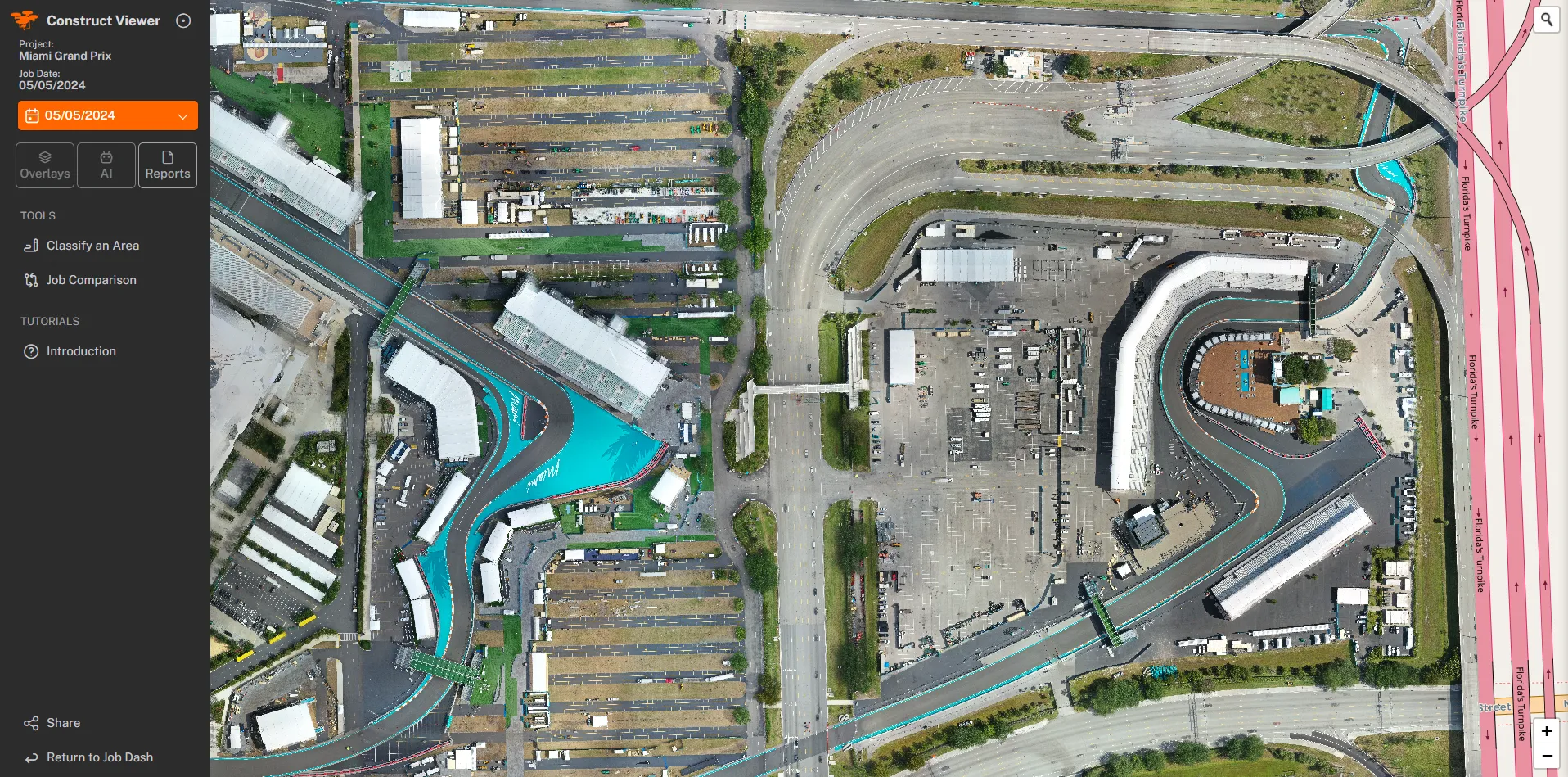
A dated aerial model you open in a browser — compare, measure, mark, share. No login.
- 5Viewers, one flight
- BrowserNo login, no install
- Compare · Measure · AnnotateEvery job, from your desk

HOW IT WORKS
Three steps from flight to desk.
We fly your site on a repeatable path.
Every flight follows the same path, so visits line up cleanly.
The captures land on a dated timeline.
Each visit is stamped and stacked — no folders, no guesswork.
You compare, annotate, and report from your desk.
Open the Viewer, scrub between dates, mark what matters, share a link.
THE LINEUP
Five products, one flight.

SIDE BY SIDE
What each Viewer does
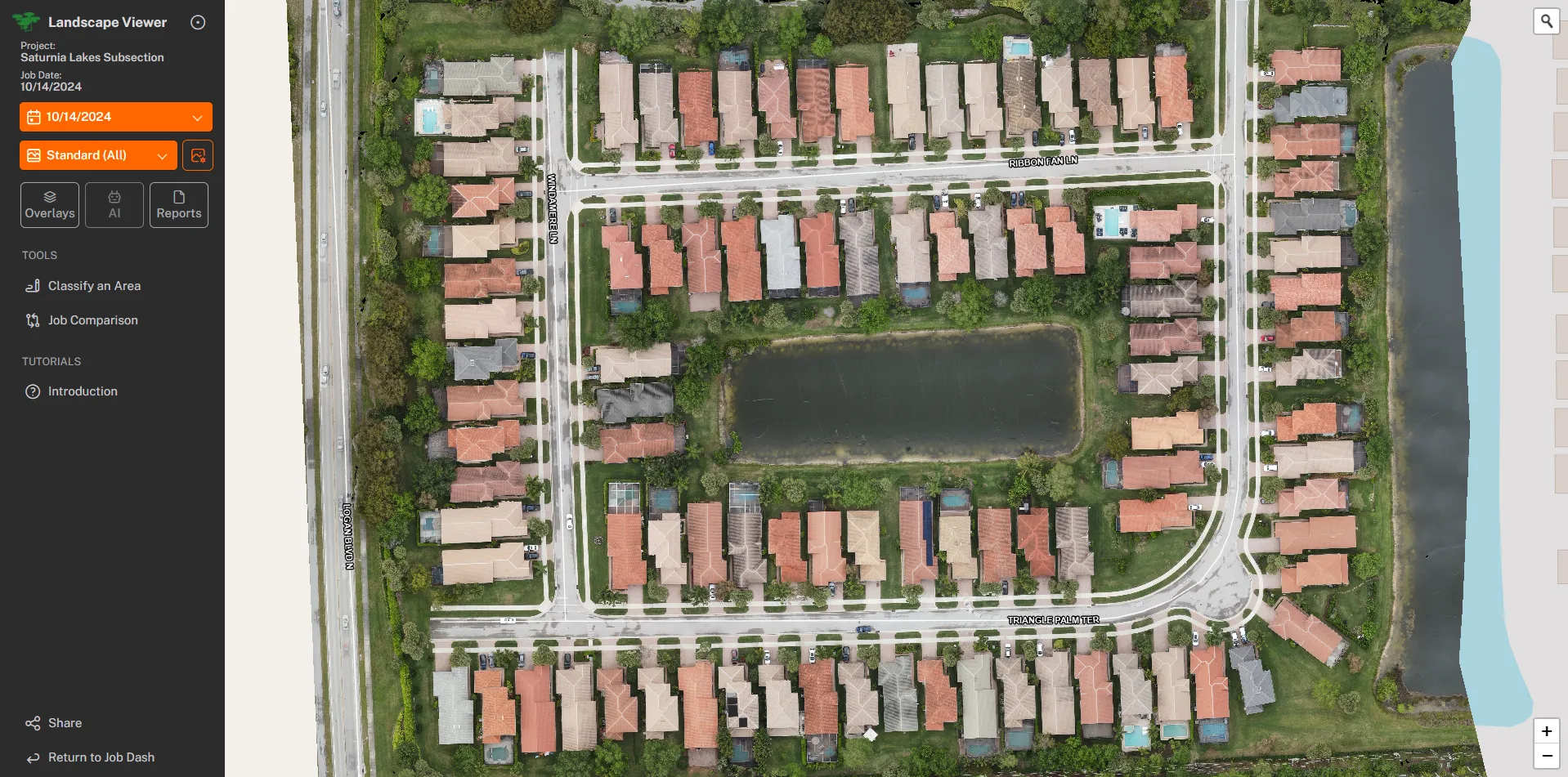
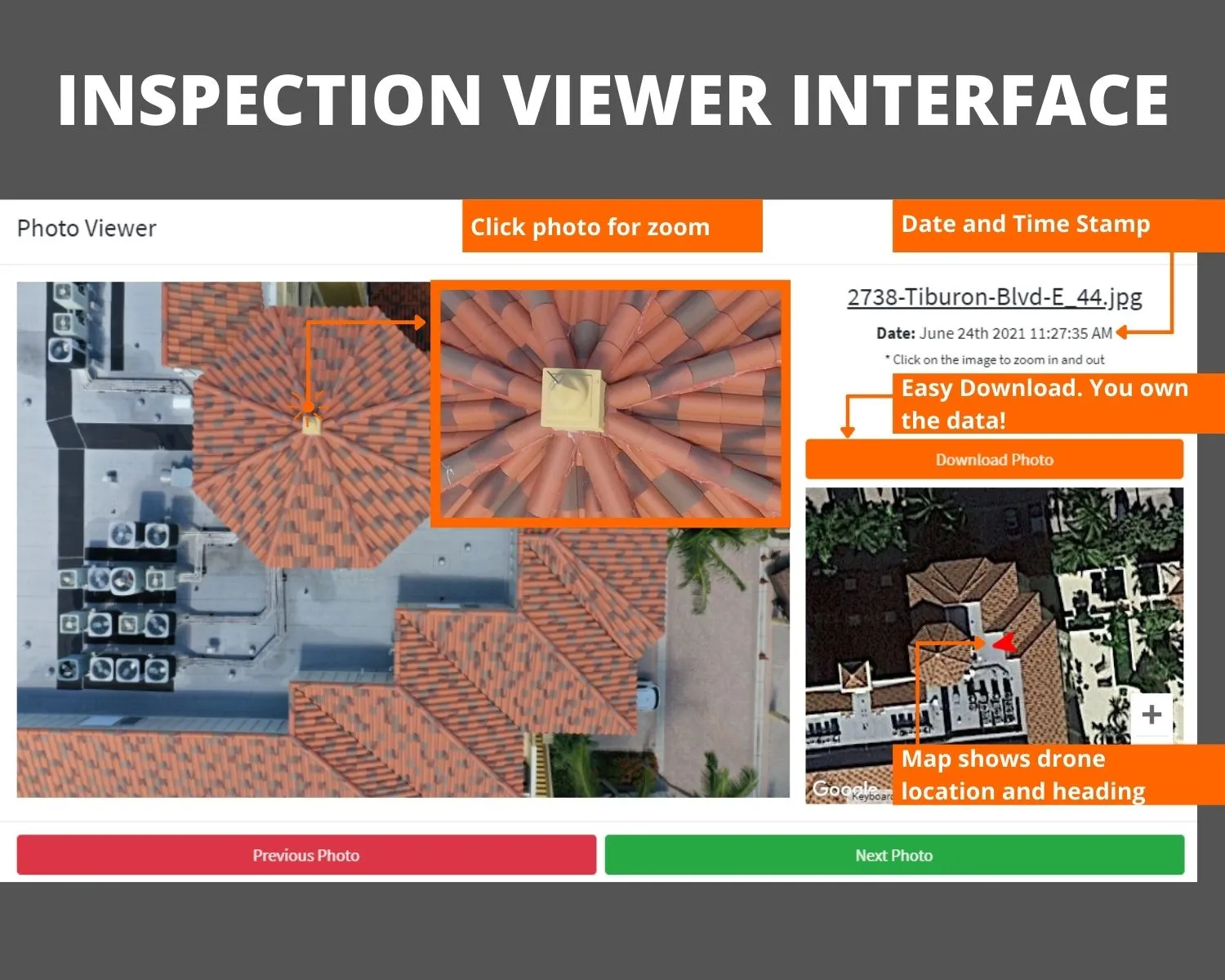
All five Viewers share a browser. Each one is tuned to a different job — and they all hand your client a dated record and a no-login link.
Compare all capabilities
| Capability | Construct | Community | Landscape | Highrise | Inspection |
|---|---|---|---|---|---|
| Dated flight timeline | Yes | Yes | Yes | Yes | Yes |
| Two-date comparison slider | Yes | Yes | Yes | Yes | No |
| Measure distance and area | Yes | No | No | No | No |
| Annotated defect callouts | No | No | No | Yes | Yes |
| Branded point-of-interest reports | Yes | Yes | Yes | Yes | Yes |
| Milestone and facade record | No | No | No | Yes | No |
| No-login sharing link | Yes | Yes | Yes | Yes | Yes |
WHICH ONE FITS YOU