Landscape Viewer
See your grounds season over season. Landscapers use it to hand a board dated proof of the work they did, and boards use it to keep a clean record of the grounds. Compare any two flights, mark a spot, and generate a shareable report.
KEY FEATURES
What Landscape Viewer gives you
Flight-over-flight comparison
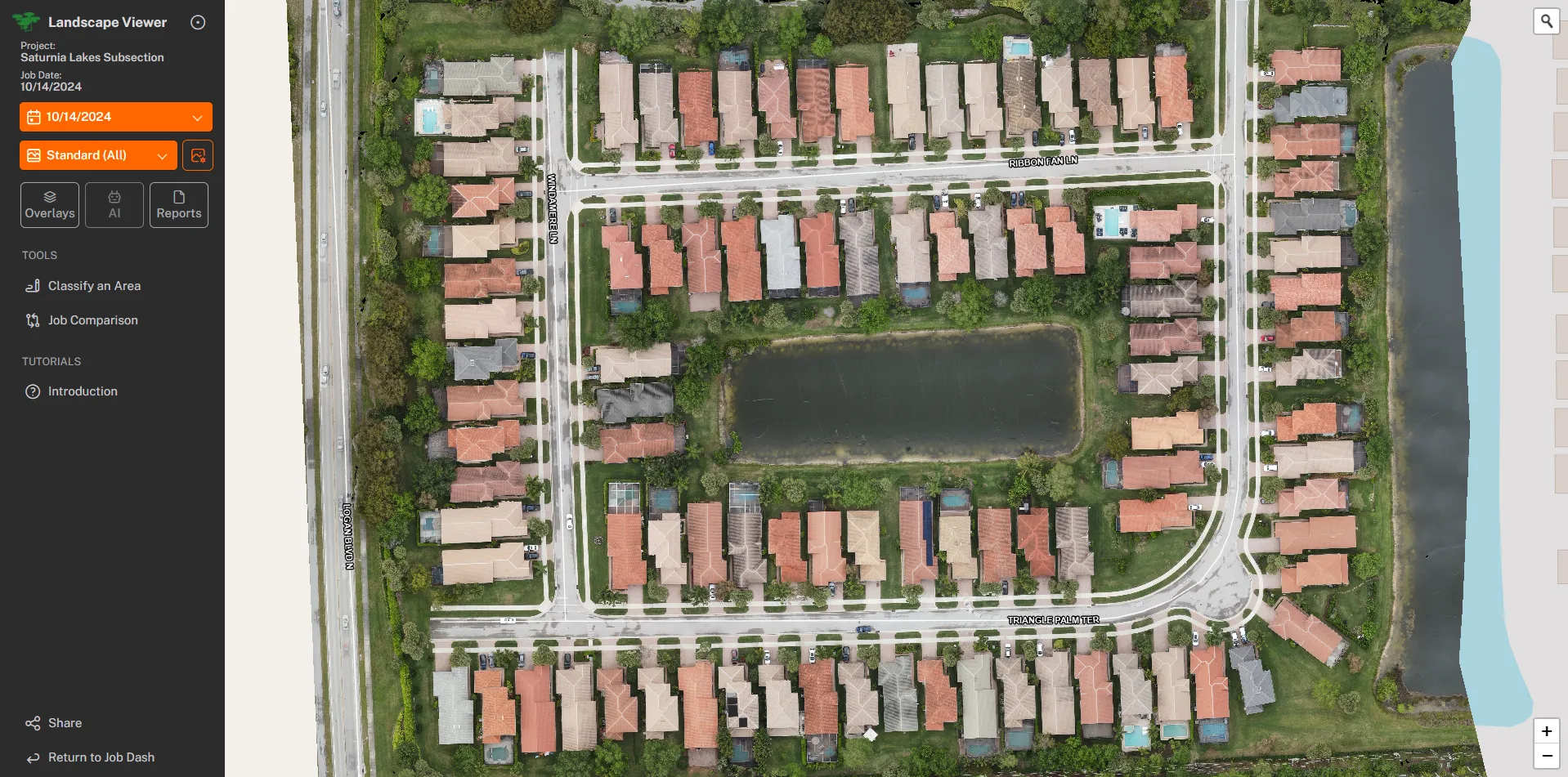
Drag between two dates to see how the grounds changed over the season. We built this from real Saturnia Lakes captures in Naples.
Sees what is hard to spot at eye level
From the air, bug and fungus damage, dead or missing trees, and lake bank erosion show up as color and texture changes before they are obvious from the ground, and each one lands dated and located on the map.
Point-of-interest reports
Mark a spot on the map, add a note like "new sod filled in nicely," and it lands in a branded PDF for the board and the landscaper. Reports are generated with one click.
A clear record for renewals and invoices
Grounds care is one of the largest checks a community writes. A dated side-by-side record makes renewal season and invoice questions a quick conversation for everyone.
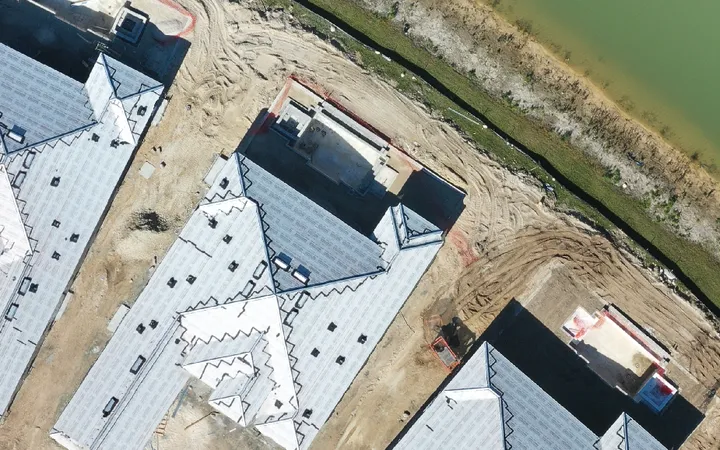
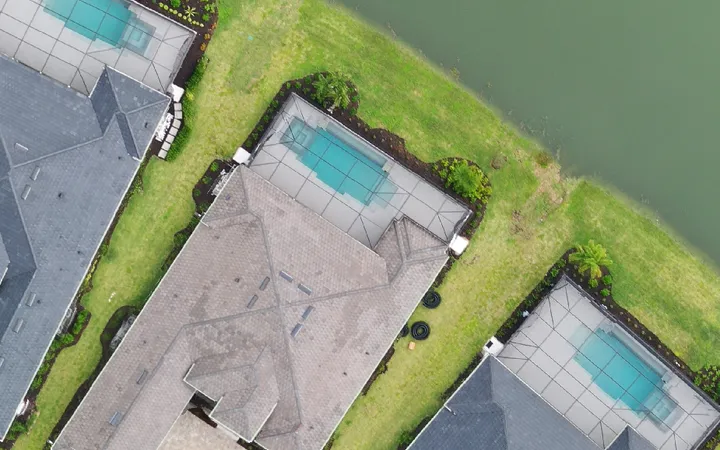
Two flights, one slider
Drag to compare the same ground across two dates.
Built for these buyers
HOW IT WORKS
One flight, then a living record
We fly the grounds
A pilot captures the community on a schedule that matches the maintenance cycle, so flights line up cleanly.
We build the comparison
Each flight lands in the Landscape Viewer next to the last one, ready to scrub between dates. Processing takes 2-4 days from flight to delivery.
You share the record
Mark what stands out, generate the report, and share a clear, dated picture of the grounds with the board and the crew.
Landscape Viewer exists because grounds care is easy to talk about and hard to show. From the air, the difference a season makes is obvious, and now it is on the record for both the crew and the board.
One record, two audiences
A landscaper uses the Viewer to hand a board dated proof of the work they did, so the property shows a full year of care at renewal and an invoice question ends with a link instead of a return trip. A board uses the same record to keep a clean history of the grounds season over season, ready for the next budget or the next contract. Same flights, one shared picture everyone can read.
What the Viewer does
The Landscape Viewer turns each flight into a dated, comparison-ready record:
- Bug and fungus damage, dead or missing trees, and lake bank erosion show up as color and texture changes
- Each finding is dated and located on the map, so the record speaks for itself
- Point-of-interest reports let you mark a spot, add a note, and generate a branded PDF with one click
Why it matters
The Viewer saves time on committee reviews, keeps invoices moving, and replaces vague back-and-forth with a shared, dated picture of the grounds. When renewal season comes up, both sides open the same record and the conversation starts from the same facts.
Saturnia Lakes in Naples was one of the first communities to use it. Captures happen on a schedule that matches the maintenance cycle, so every flight lines up cleanly with the last one. The crew and the board open the Viewer, scrub between dates, mark what stands out, and share a clean report.
If you run a landscaping company, see how we help you win bids and show your work on our landscaping services page.